GTFS Settings Configuration
The GTFS Settings page allows you to configure both static and real-time GTFS data sources for your transit system. This configuration is essential for accurate usage statistics and auto-vehicle association.
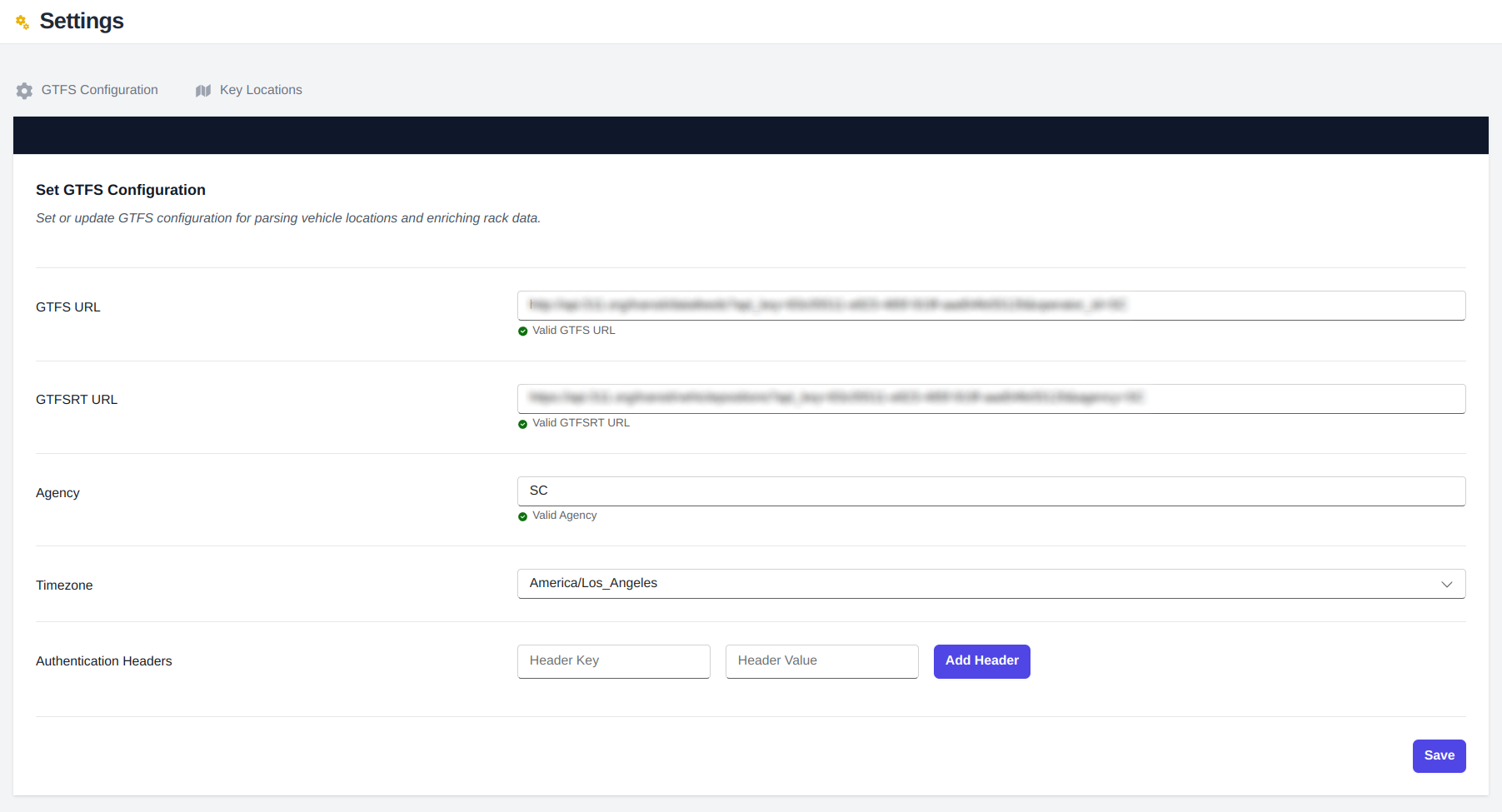
Configuration Fields
GTFS URL
- The endpoint for your static GTFS data feed
- Contains essential transit system information:
- Routes
- Trips
- Stops
- Schedules
- Data is automatically ingested and updated weekly
- Ensures accurate route and trip information for cyclist and mobility usage analysis
GTFSRT URL
- Real-time GTFS feed endpoint
- Provides current vehicle information:
- Vehicle positions
- Current route assignments
- Active trip IDs
- Real-time location data
- Used for automatic vehicle association and tracking
- Enriches data with route and trip information
Agency
- Specifies the transit agency identifier
- Used to filter and evaluate data for your specific agency
- Ensures data analysis is scoped to your organization
Timezone
- Local timezone setting for your transit system
- Used for:
- Converting UTC timestamps to local time
- Analyzing time-of-day usage patterns
Authentication Headers
- Optional configuration for API authentication
- Used when API keys cannot be included in URL parameters
- Common for services like Swiftly that require header-based authentication
Important Notes
note
- All URLs must be publicly accessible
- GTFS static data should be in the standard GTFS format (.zip)
- GTFSRT feed must conform to the GTFS Realtime specification
- Headers are optional and only needed for authenticated feeds where path parameters are not used
Troubleshooting
If you experience issues:
- Verify URL accessibility
- Check authentication credentials
- Confirm timezone setting
- Ensure agency ID matches your GTFS data
- Review feed format compliance
For additional assistance, please contact support with your specific configuration details.